
SeleniumBase UC Mode and CDP Mode: what 2 modes hide
SeleniumBase UC Mode and CDP Mode read in their source and docs: what each changes against bot detection, what stays visible, and when to use which.

Davide G. · Founder, Scalebrowser
Published Nov 25, 2026 · 7 min read
Short answer
Plain Selenium is easy for a site to spot, and SeleniumBase is where many Python developers go next, because it keeps the Selenium API and adds two modes built to get past bot checks. The modes differ more than their names suggest. We read the SeleniumBase documentation and the source of its click path on 27 September 2026.
What is SeleniumBase?
SeleniumBase is a Python framework for browser automation and testing that wraps Selenium and pytest, and its repository leads with "Stealthy Chromium Automation" as of September 2026. It is actively maintained: 4.54.11 came out on 22 September 2026 and 4.54.12 three days later.
| Property | Value |
|---|---|
| GitHub stars | 13,037 |
| Latest release | 4.54.12, 25 September 2026 |
| PyPI downloads, last month | 1,292,244 |
| Licence | MIT |
| Stealth modes | UC Mode, CDP Mode (with a Pure CDP variant) |
| CAPTCHA helper | uc_gui_click_captcha() and solve_captcha(), clicks through PyAutoGUI or CDP |
The two modes are not alternatives on equal footing. The maintainer's documentation calls CDP Mode "the successor to plain UC Mode" and advises it "for maximum stealth".
How is SeleniumBase different from Selenium?
SeleniumBase differs from Selenium in what it adds around the WebDriver API: test runners, waiting, shorter calls and reports, plus the two stealth modes. The README lists the differences in a section of its own, "How is SeleniumBase different from raw Selenium?", and the first five rows of the table take its points as written.
| Task | Selenium on its own | SeleniumBase |
|---|---|---|
| Running tests | bring your own runner and options parser | pytest, pynose and behave with command-line options |
| Waiting for elements | fails at once by default | waits with default timeouts, adjustable per call |
| Typing into a field | several calls | type() waits, clears, types and, on a trailing newline, submits in one call |
| Selectors | the selector type is named | CSS and XPath are told apart automatically |
| Failures | raw error output | clean errors, dashboard, reports, screenshots of failing tests |
| Bot checks | none | UC Mode and CDP Mode |
Installing it is one command, and a script in CDP Mode is a few lines. The example below follows the README's own UC plus CDP Mode example with a neutral address.
pip install seleniumbasefrom seleniumbase import SB
with SB(uc=True, test=True) as sb:
sb.activate_cdp_mode("https://example.com/")
print(sb.get_page_title())What does SeleniumBase UC Mode do against bot detection?
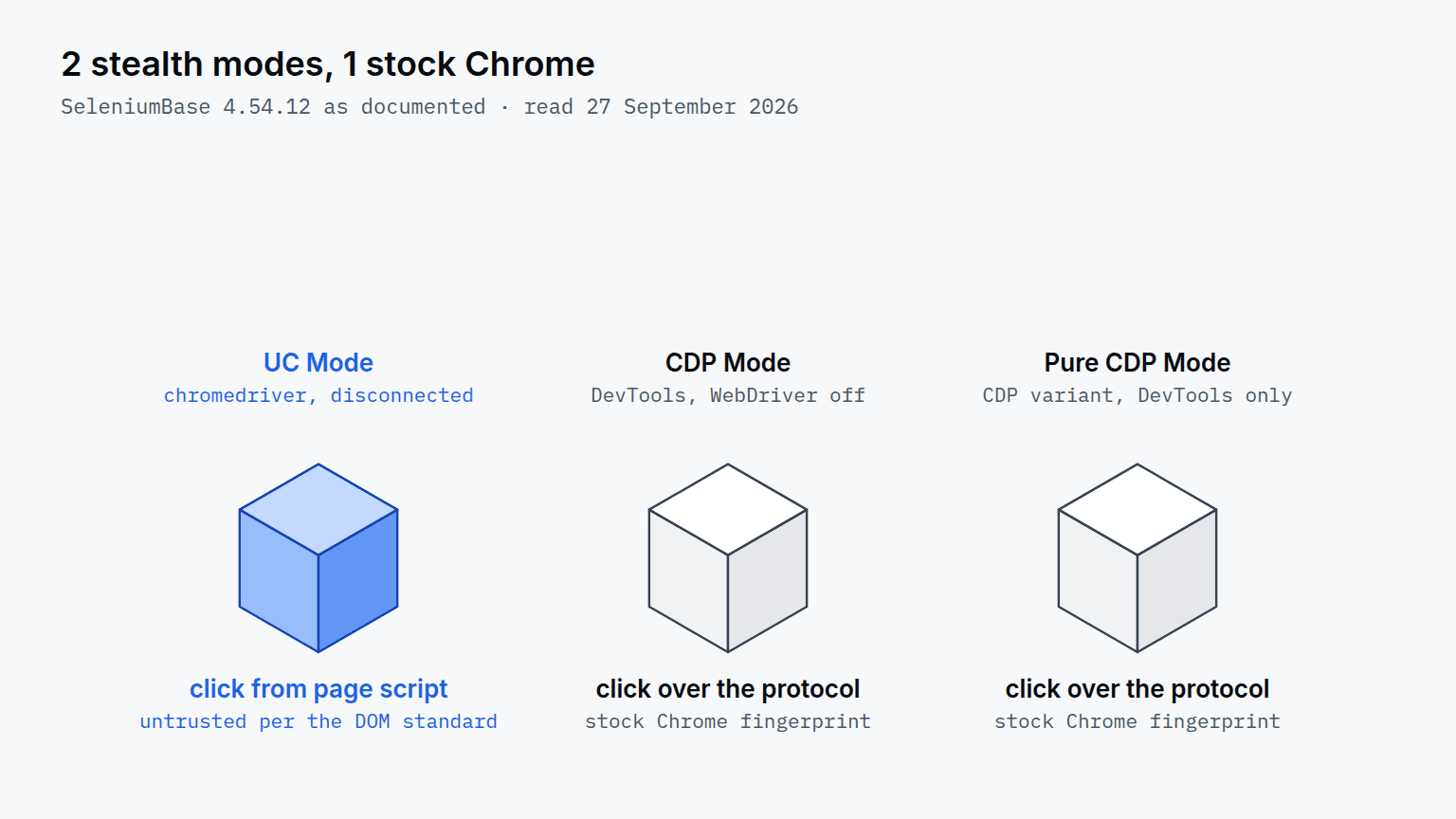
UC Mode hides the chromedriver connection from the page in three ways, according to the UC Mode documentation. It renames the variables chromedriver leaves in the page, it starts Chrome first and connects chromedriver afterwards so the browser does not come up with automation settings, and it disconnects chromedriver around the moments sites check, such as page loads and clicks. The documentation explains the last point: "While chromedriver is connected to Chrome, website services can detect it."
The click is where that design shows. uc_click() schedules the click inside the page and disconnects the driver while it fires; in the source, the scheduled script is document.querySelector(...).click(), run 111 milliseconds later. The DOM standard is explicit about that method: click() "causes the user agent to dispatch an event whose isTrusted attribute is initialized to false". A page that checks isTrusted sees a click no mouse produced, with no pointer movement before it.
UC Mode has two further limits in its own words. It "is detectable in Headless Mode", so on a Linux server it needs a virtual display. And the reCAPTCHA helper "may only work a few times before not working anymore", which the maintainer attributes to Google's detection rather than to Selenium.
Is SeleniumBase CDP Mode better than UC Mode?
For bot detection, yes by the maintainer's own account: CDP Mode is the successor, and it drives Chrome through the DevTools protocol while WebDriver stays disconnected. The CDP Mode documentation says its stealth "comes from using the Chrome DevTools Protocol directly, which is much better at avoiding bot-detection", and that reconnecting WebDriver "allows anti-bot systems to detect you". The table sets the modes side by side.
| UC Mode | CDP Mode | Pure CDP Mode | |
|---|---|---|---|
| Talks to Chrome through | chromedriver, disconnected at chosen moments | the DevTools protocol, WebDriver disconnected | the DevTools protocol only |
| Stealthy click | uc_click(), a script click() scheduled in the page | a DevTools protocol call | a DevTools protocol call |
| Real mouse clicks | uc_gui_* methods through PyAutoGUI | gui_* methods through PyAutoGUI | gui_* methods through PyAutoGUI |
| WebDriver commands | available when reconnected | redirected to CDP where possible | not available |
The PyAutoGUI methods move the operating system's real pointer, so the events they produce are trusted. They need a visible screen, a real one or a virtual display, and the documentation asks for thread locking when several browsers share them.
What do both modes leave as they are?
Both modes leave the browser as it ships and the rest of the Selenium input path as it is. Neither changes Chrome's source, so the graphics card, the fonts, the voice list and every other value Chrome reports stay those of the machine and the Chrome build it runs; a persistent identity is a user data directory you manage yourself. That puts SeleniumBase at the driver depth in our overview of stealth tools of the free path, next to undetected-chromedriver and nodriver. How a client without a browser compares on the same targets is covered in curl_cffi vs a real browser.
The input path left behind after a reconnect is Selenium's. On our signature bench on 24 August 2026, selenium-webdriver 4.47.0 reported pointerdown with pressure 0, 2 runs, where the Pointer Events specification requires 0.5 for hardware without pressure support while a button is down. Selenium was the only one of the tools we recorded that pressed Shift for capital letters, which a keyboard does too.
Does SeleniumBase work with authenticated proxies?
SeleniumBase works with authenticated proxies, but only in Chromium. Its README documents --proxy=SERVER:PORT and --proxy=USERNAME:PASSWORD@SERVER:PORT, notes that the authenticated form works in Chromium only, supports SOCKS4 and SOCKS5, and offers --multi-proxy for several authenticated proxies when tests run in parallel threads. The proxy changes the address a site sees and nothing else: time zone, language and every other value the browser reports stay those of the machine unless you set them as well.

Scalebrowser runs real browser profiles on your own PC: your AI agent drives them over MCP and signs in without ever seeing a password.
Download freeWhen is SeleniumBase the right choice?
SeleniumBase is the right choice for existing Selenium code that has to get past a check, and a weaker one for work that has to look like a person for a whole session. The table sorts the common situations.
| Situation | Pick | Why |
|---|---|---|
| A Selenium test suite that meets a Cloudflare check | SeleniumBase CDP Mode | keeps the Selenium API, WebDriver stays disconnected |
| A one-off checkbox on a visible desktop | SeleniumBase gui_* methods | real pointer, trusted events |
| Many parallel sessions on one server | a tool with an input path per browser | PyAutoGUI clicks share the system pointer and need thread locking |
| Accounts that stay signed in, one identity per profile | a browser built around persistent profiles | both modes leave the identity to a user data directory you manage |
If you already use UC Mode, moving to CDP Mode is the maintainer's own advice, and it replaces the scheduled script click with a DevTools protocol call. Another approach to a check, a JavaScript interpreter instead of a browser, is covered in cloudscraper.