Multiple browser profiles on one machine: about 340 MB each
How many browser profiles one machine runs for AI agents: what a profile is, the memory a running browser takes, what refuses a start, and why plans count browsers.

Davide Valli · Founder, Scalebrowser
Published Oct 27, 2026 · 6 min read
Short answer
A hundred accounts need a hundred identities, and the first instinct is to count machines, or to count what a vendor charges per profile. Both counts start from the wrong unit. A profile that is not running is a folder on disk; only a running browser takes memory, and an agent rarely needs all hundred at the same moment.
What is a browser profile?
A browser profile is the directory in which one browser identity keeps everything that makes it the same browser tomorrow: cookies and logins, local storage, history, saved passwords, passkeys and settings. Chrome uses profiles to keep two people's browsing apart on one computer, inside one browser installation. For agents the word means more: each profile is its own browser with its own fingerprint, its own storage and its own network exit, so that two profiles look like two devices rather than two windows of one.
Two states follow from that definition, and they cost very different things:
| State | What it holds | What it costs |
|---|---|---|
| Stored | a directory with cookies, storage, passkeys and a stored identity | disk space only |
| Running | a browser process tree with its renderers and graphics process | memory, CPU and a concurrency slot |
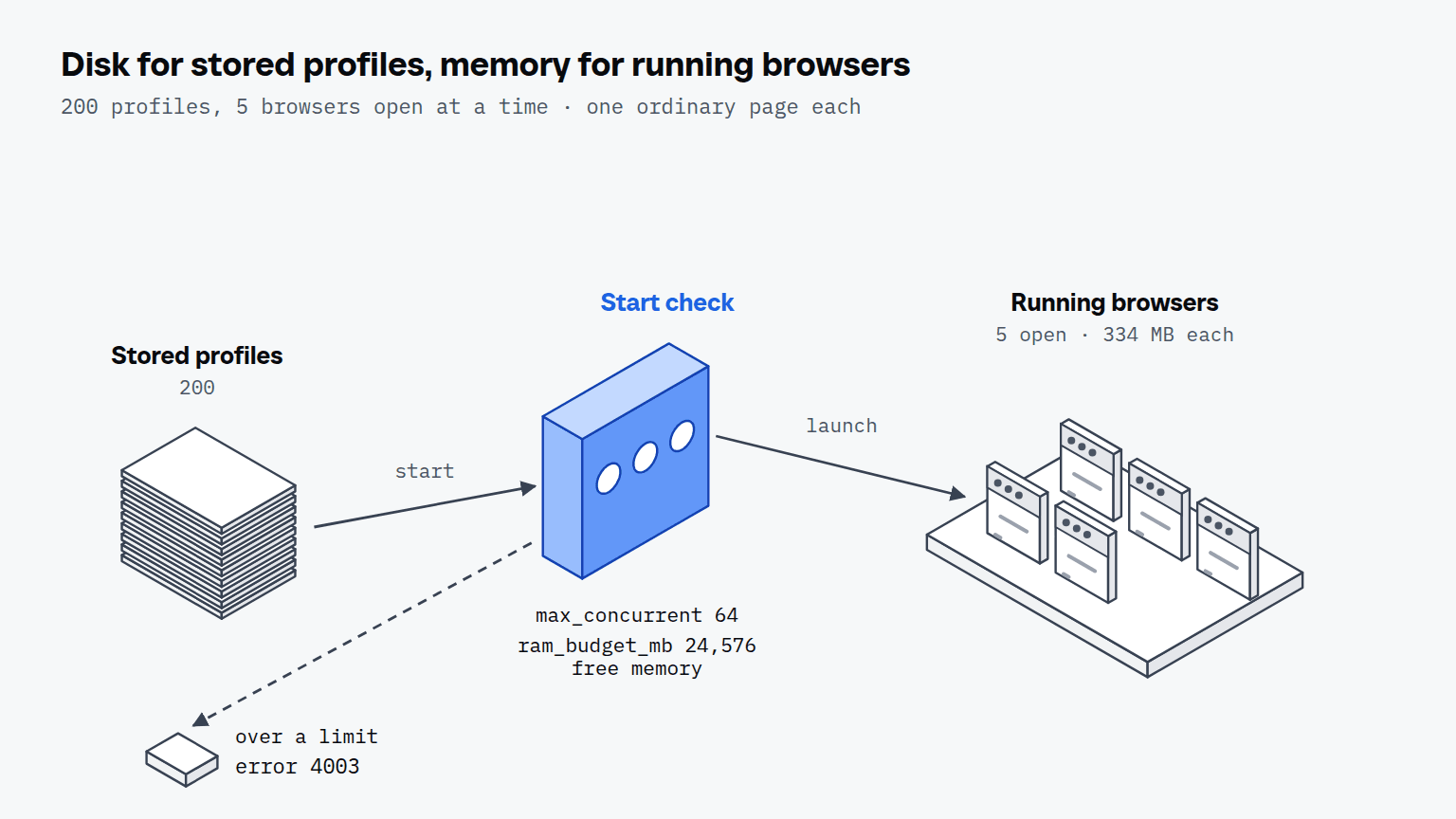
A fleet of 200 profiles with 5 browsers open at a time is the normal shape of agent work, because most accounts wait between tasks.
How much memory does each running browser need?
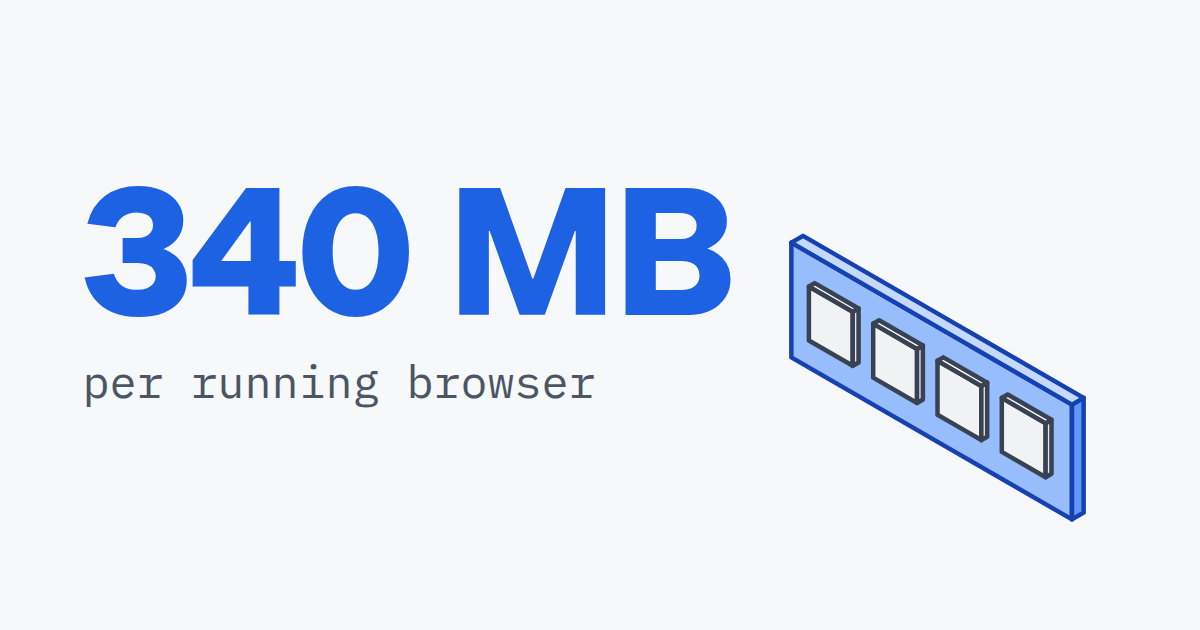
A running browser with a visible window took 334 MB of physical memory with one ordinary page and 583 MB with three tabs open when we measured it, and Google Chrome on the same machine stayed within 8 percent at every stage. Our plans documentation gives 250 to 400 MB for an ordinary page, which matches the one-tab case. Physical memory is what Task Manager shows for the browser; reserved memory is what Windows has to back with memory or the page file, and it runs about twice as high.
| Stage | Physical memory | Reserved memory | Google Chrome, physical / reserved |
|---|---|---|---|
| Empty tab after 30 seconds | 138 MB | 282 MB | 131 / 292 MB |
| One tab after Wikipedia, GitHub and Hacker News | 334 MB | 664 MB | 343 / 694 MB |
| Three tabs with the same pages | 583 MB | 1,051 MB | 543 / 996 MB |
A heavy web application in a visible window takes more than these pages. A number per browser therefore sets a ceiling, not a promise, which is why the daemon asks the machine before every start. Three limits apply, and the strictest one wins:
- A browser count per machine,
max_concurrent, 64 by default. - A memory budget,
ram_budget_mb, 24,576 MB by default: how much of the machine the browsers may take. - The machine's measured free memory, read at the moment of the start, because a budget written for a 128 GB workstation says nothing about a 16 GB laptop.
A start that would break any of them is refused with error 4003, "this machine is full", before a browser is launched; the configuration reference lists the settings. The alternative is the one every operator has seen once: the browser that tips the machine over does not fail alone, it takes the running ones down with it, in the middle of their sessions.
The memory arithmetic sets the upper end for common machine sizes. It divides the machine by the measured physical memory, and the operating system and your own programs take their share first:
| Machine memory | Browsers with one tab, 334 MB each | Browsers with three tabs, 583 MB each | Default limits that cap it |
|---|---|---|---|
| 16 GB | at most 49 | at most 28 | measured free memory |
| 32 GB | at most 98 | at most 56 | the 24,576 MB budget, which counts 400 MB per browser, so 61; with three tabs each, free memory runs out first |
| 64 GB | at most 196 | at most 112 | the budget and the count of 64, until you raise them |
A bulk start stops at the first refusal of this kind and reports the profiles it never tried, because running out of memory says nothing about the profile that happened to be next.
Why pay for concurrency instead of profiles?
Paying for concurrency matches the bill to what costs something, because a profile at rest is a directory and a running browser is memory. Chromium's user data directory documentation describes a profile as "a subdirectory (often Default) within the user data directory" holding "history, bookmarks, and cookies". Charging per profile charges for that directory, and it pushes the buyer to reuse one identity for several accounts, which is exactly what makes accounts look linked. Hosted browsers bill a third unit, time: Browser Use charges 0.02 USD per browser hour, rounded up to whole minutes with a 1 minute minimum.
| Plan | Price per month | Browsers at once | Machines | Profiles |
|---|---|---|---|---|
| Start | 19 USD | 1 | 1 | unlimited |
| Solo | 39 USD | 5 | 1 | unlimited |
| Studio | 99 USD | 20 | 3 | unlimited |
| Fleet | 249 USD | 50 | 10 | unlimited |
Both numbers count across the whole account, so three machines with two browsers each are six browsers at once. Past Fleet, 5 more browsers cost 40 USD a month and one more machine 25 USD. Running 100 profiles on Solo means 5 of them work at a time and the other 95 wait on disk with their logins intact; an agent that leases several at once gets back whatever the plan and the machine allow, plus the reason it stopped. The guide to an agent browser on your machine covers what else a local browser changes, and the fleet documentation covers groups, presets and bulk starts. How Claude Code works with a real browser, and what each step costs in tokens, is covered in Claude Code with a real browser.


Scalebrowser gives each agent its own isolated browser with a persistent identity, on your own machine, so a run stays signed in, handles the captcha and finishes without anyone watching it.
See how Scalebrowser does itWhich exit should each profile use?
Each profile should leave through its own address, and one bought residential or mobile gateway is enough for many profiles, because a session tag in the username or password turns it into many stable exits. The daemon knows that spelling for fourteen providers and refuses to give one address to two profiles: a start whose address already belongs to another profile draws a new tag, up to five times, and is refused with error 4013 if every draw is taken. How long an address stays one profile's depends on its kind, 3 days for mobile, 30 for residential and 90 for datacenter, and the proxies documentation explains why. A datacenter exit stays a datacenter exit whatever the browser does, which is why sharp targets call for mobile proxies or residential ones.
Run it on your own machine
Seven days to try it with your own agents on your own sites. Starting the trial needs a card.
Written by
Davide Valli
Founder, Scalebrowser
Builds Scalebrowser, the browser layer for AI agents that runs on your own machine. Measures every change a web page could observe against a real browser before it ships, and writes up the ones that turned out wrong.
All articles by Davide Valli