BrowserScan: 1 timezone costs an agent 10 percent
What BrowserScan checks in an automated browser, how its 100 percent score loses points, and the two findings that cost us: a timezone and noisy canvas pixels.

Davide Valli · Founder, Scalebrowser
Published Nov 3, 2026 · 5 min read
Short answer
BrowserScan is often the first page someone opens after building an automated browser, because it answers with one number. That number is easy to misread in both directions. A deduction can come from a setting that has nothing to do with automation, and a clean 100 percent says nothing about how a real website will treat the same browser. We ran BrowserScan as one of eight detector sites in our audit and kept every deduction it gave us.
What is BrowserScan?
BrowserScan is a free fingerprint test page that shows what a website can read from a browser and scores the result as "Browser fingerprint authenticity", starting at 100 percent. As of September 2026, the BrowserScan homepage groups its readings under six headings, summed up here in five areas, and it lists a deduction with its reason for every value that disagrees with another one.
| Area | What BrowserScan reads |
|---|---|
| IP and location | the IP address, WebRTC addresses, country, region and city |
| Hardware | canvas, WebGL, audio, client rectangles, screen, media devices |
| Browser | operating system, browser version, incognito mode, headers |
| Software and time | timezone by IP and by JavaScript, languages and Accept-Language, bot detection, a scan of ports 22 and 3389 |
| Extras | fonts, DNS leaks, TLS |
The page does not explain how the percentage is calculated. In our runs every deduction came with a reason, which makes the list more useful than the number.
What does BrowserScan check in an automated browser?
BrowserScan checks an automated browser on two fronts: direct automation traces and contradictions between values. Its bot detection page runs four tests, Webdriver, User-Agent, CDP and Navigator, and sorts the visitor into normal bots, malicious bots such as "Selenium, Puppeteer, Playwright", or no bot detected. The contradictions sit on the main page, where the timezone the IP address suggests is compared with the one the browser's JavaScript reports. Why rotating the user agent contradicts the engine is covered in Random user agent.
| Browser and setup | Date | Runs | Authenticity | Deduction |
|---|---|---|---|---|
| real Chrome 149, clock not matching the exit | 4 July 2026 | reproduced, count not recorded | 90 percent | timezone |
| our engine, 5 profiles with seeded canvas noise | July 2026 | 5 profiles | below 100 percent | canvas marked as manipulated |
| Scalebrowser profile, honest canvas, no proxy | 10 August 2026 | 10 | 100 percent in 10 of 10 | none |
| the same profile, repeated | 12 August 2026 | 10 | 100 percent in 9, 90 percent in 1 | timezone, in 1 run |
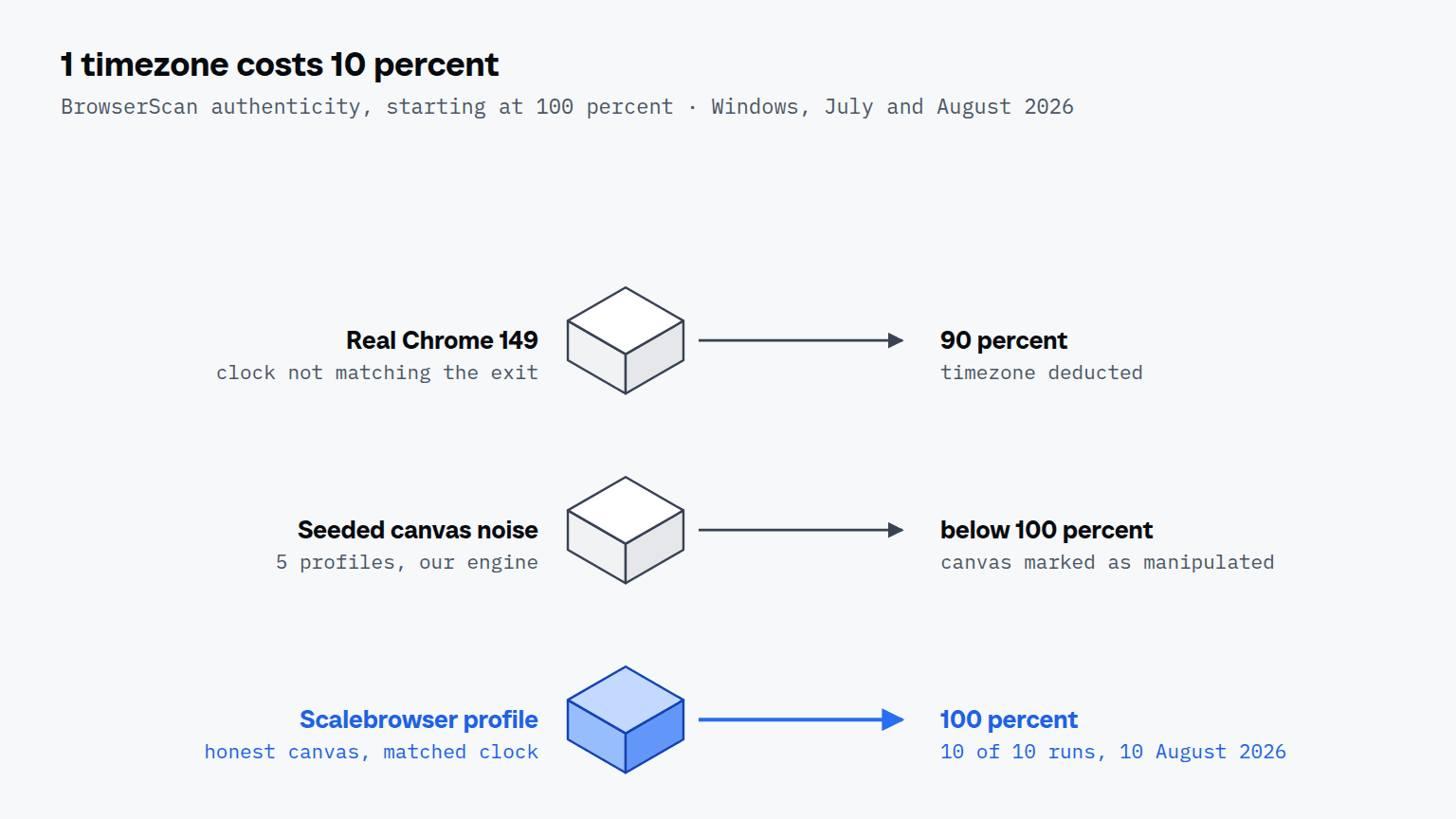
The first row matters most for anyone testing a setup: the deduction hit an ordinary, unmodified Chrome. BrowserScan graded the mismatch between the clock and the network, not the browser. A score below 100 percent is therefore a list of contradictions to read, not a verdict on the browser in front of it.
Why does BrowserScan flag the canvas of my browser?
BrowserScan flags a canvas when its pixels show variation that no graphics card draws, which is what added noise produces. In July 2026 we gave each profile its own canvas by offsetting every channel of every pixel by up to 2, seeded per profile. Five profiles on one machine got five distinct canvas hashes, and BrowserScan marked the canvas as manipulated.
A graphics card draws a flat area in one colour. An offset on every pixel puts variation into that area, so the value stops looking like any device, while the honest value, shared by every machine with the same card and driver, drew no flag. The same pattern holds on audio and on the other surfaces a page reads back, and it is why a browser has to present one plausible device rather than a unique one. Brave adds such noise by design; a browser that presents itself as Chrome has no such explanation.
Why does a timezone cost 10 percent?
A timezone costs 10 percent because BrowserScan compares the zone implied by the IP address with the zone the browser reports through JavaScript, and a mismatch between the two is one of its standard deductions. A page reads the browser's zone in one line through Intl.DateTimeFormat and compares it with a lookup of the address; the browser cannot see that lookup and cannot argue with it.
The single 90 percent run of 12 August was the same deduction, on a profile that ran without a proxy, and the nine runs around it passed. A second case came from a proxy. A profile on a mobile exit in Denver still reported America/New_York, because the first zone listed for the country was written whatever city the address belonged to, and a fingerprint check deducted ten points for "Different time zones". Since 20 September 2026 the timezone follows the zone the exit address itself resolves to, provided the country's locale table lists it, so the same profile reads America/Denver. The coherence page describes how timezone, language and exit country are kept together.
What does a 100 percent score not prove?
A 100 percent score proves that BrowserScan found no contradiction among the values it reads, and nothing about a real website's decision. A site's defence also weighs the exit address, which in our own reCAPTCHA series decided more than anything in the profile, and it reads the control plane and the input over many requests, where BrowserScan runs four automation tests on one visit. Use it next to a browser you trust on the same machine and the same exit, and read the deductions as a checklist; the page on testing your setup lists the other detectors we run alongside it. A block that reads like a verdict on the browser, Cloudflare error 1020 for an AI agent, is covered in Cloudflare 403 forbidden for an AI agent, and how the FingerprintJS signal anti_detect_browser came to fire on one bundled file in FingerprintJS and anti_detect_browser.
Run it on your own machine
Free to start, no card needed: one browser at a time with your own agents on your own sites.
Written by
Davide Valli
Founder, Scalebrowser
Builds Scalebrowser, the browser layer for AI agents that runs on your own machine. Measures every change a web page could observe against a real browser before it ships, and writes up the ones that turned out wrong.
All articles by Davide Valli