
Claude Code with a real browser: tokens per step compared
How to give Claude Code a real browser, through the Chrome extension or an MCP server, and what each browser step costs in tokens, measured across 6 servers.

Davide Valli · Founder, Scalebrowser
Published Nov 5, 2026 · 6 min read
Short answer
Claude Code can read a web page out of the box, but it cannot use one. It fetches text; it does not run the page's scripts, click the button that appears after them or stay signed in to the dashboard it is supposed to check. Giving it a browser takes one command, and which browser you pick decides both what it can reach and how fast a long session fills the context window.
What is a Claude Code browser?
A Claude Code browser is a real Chromium that Claude Code operates through tools: it opens pages, reads what is on them, clicks, types and waits, one tool call at a time. It is not the same thing as fetching a page. A fetch returns the text a server sends; a browser runs the page's JavaScript, keeps cookies between requests and shows what a person would see after the page has finished building itself. Claude Code gets such tools from one of two sources: Anthropic's own browser extension, or a Model Context Protocol server that exposes a browser.
Which ways can you connect Claude Code to a browser?
You can connect Claude Code to a browser in three ways, and they differ in whose browser it is and what happens to the logins.
| Way | Which browser | Logins | What it needs |
|---|---|---|---|
| Claude in Chrome extension | your own Chrome or Edge, in a visible window | your own, shared with Claude | the extension 1.0.36 or later and a Pro, Max, Team or Enterprise plan; not in WSL |
| An MCP server that starts its own browser, such as Playwright MCP | a Chromium the server launches | a profile per workspace by default, or none with --isolated | Node.js and one claude mcp add |
| A browser profile served over MCP | a profile with its own identity, on your machine | kept in the profile across runs | a running daemon and one claude mcp add |
The Chrome integration documentation describes the first way plainly: Claude "shares your browser's login state, so it can access any site you're already signed into", and "when Claude encounters a login page or CAPTCHA, it pauses and asks you to handle it manually". That suits a developer testing their own app. It suits an unattended agent less, because the agent works in your personal browser and waits for you at every login. How Claude's computer use compares with a browser agent is covered in Claude computer use or a browser agent. The MCP servers start a browser of their own, and Playwright MCP notes that its persistent profile "can only be used by one browser instance at a time".
How do you add a browser MCP server to Claude Code?
You add a browser MCP server with claude mcp add, and the steps are the same for every server.
- Start the browser side. A server that launches its own browser, such as Playwright MCP, is started by Claude Code itself through
npx. A server that runs as a service, such as a local daemon, has to be running and has to give you an address and a token. - Register it. For a command-based server:
For a server that speaks HTTP, with its token in a header:bash
claude mcp add playwright npx @playwright/mcp@latestbashclaude mcp add --transport http scalebrowser http://127.0.0.1:8787/v1/mcp \ --header "Authorization: Bearer $SCALEBROWSER_TOKEN" - Pick the scope. The entry is local to the current project unless you add
--scope user, which makes it available in every project on your machine. - Check it. Run
claude mcp listand look for the server as connected, then ask for a task in plain words, for example "open the pricing page of example.com and list the plans".
Written by hand in .mcp.json, an HTTP entry needs "type": "http". Without it Claude Code reads the entry as a command-based server and skips it, as the Claude Code setup page of our documentation describes; an agent in WSL talking to a daemon on the Windows side needs the WSL and containers page as well.

Scalebrowser runs real browser profiles on your own PC: your AI agent drives them over MCP and signs in without ever seeing a password.
Download freeHow many tokens does Claude Code spend per browser step?
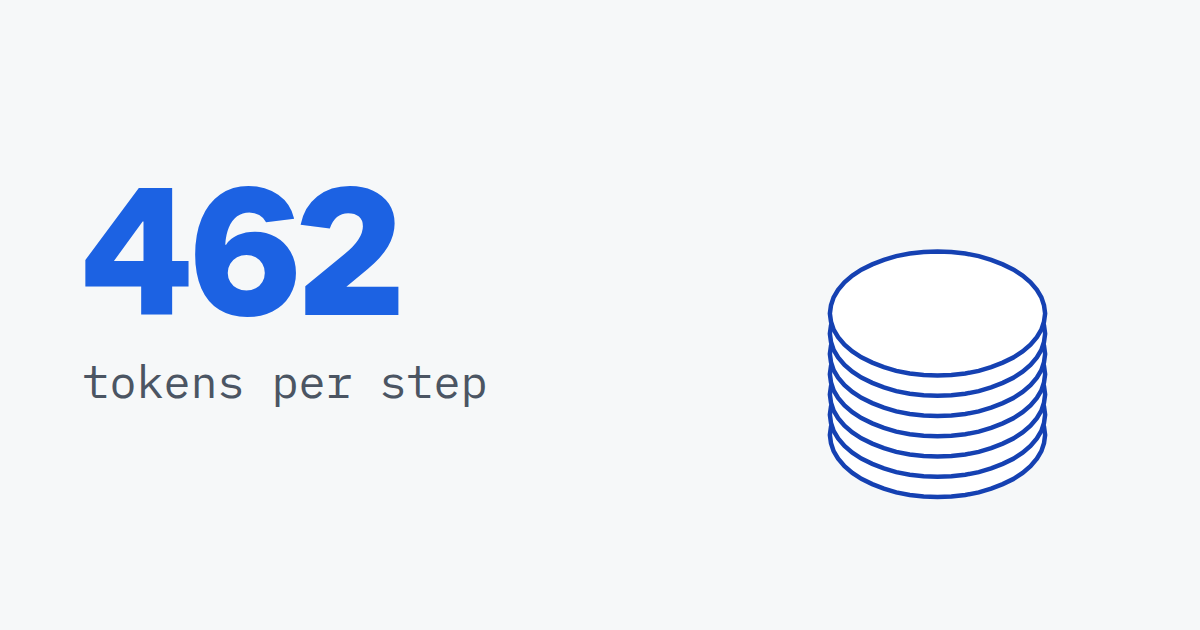
Claude Code spends as many tokens per step as the server's answer contains, and between servers that ranged from 462 to 26,438 tokens for the same step on Hacker News. We ran the same action script through six browser MCP servers on live pages on 8 September 2026, counted every answer with the cl100k_base tokenizer, and counted files the servers wrote instead of answering, because the agent has to read them too.
| Server | Tool list tokens per request | Tokens per step, Hacker News | Steps until a 1 million token window is full, Wikipedia article |
|---|---|---|---|
| Scalebrowser desktop app, 65 tools | 12,559 | 462 | over 400 |
| browser-use 0.13.10 | 1,036 | 18,087 | 100 |
| camofox-browser | 932 | 12,076 | 4 |
| Playwright MCP 0.0.80 | 3,162 | 12,494 | 3 |
| Chrome DevTools MCP 1.9.0 | 4,849 | 13,311 | 2 |
| stealth-browser-mcp | 12,590 | 26,438 | 0 |
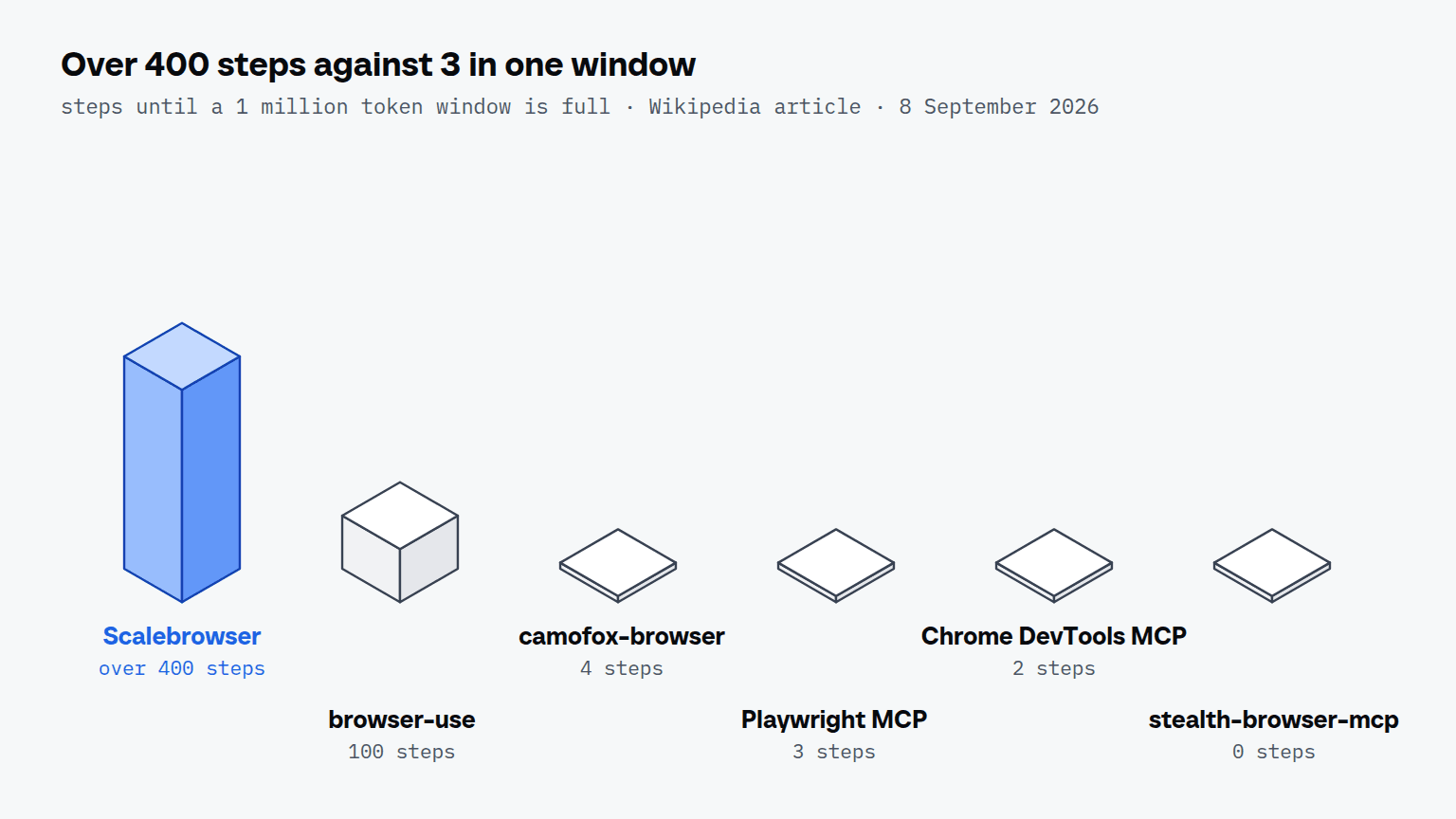
The spread comes from the answer format: one server answers an action with what changed on the page, the other five send the page again, so their follow-up steps cost about as much as the first look. Two settings of Claude Code change how this arrives. Its MCP documentation says it "displays a warning when MCP tool output exceeds 10,000 tokens and limits output to 25,000 tokens by default", and on Hacker News five of the six servers spend more than 10,000 tokens per step. And tool search, on by default, defers tool definitions so that "only tool names and server instructions load at session start"; the tool list column is paid in full only by clients that load every definition up front.
The comparison of MCP servers compared by tokens prices whole sessions and explains why the bill grows with the square of the step count.
What happens to a page larger than 25,000 tokens?
A page answer larger than 25,000 tokens, with no image in it, is saved to a file, and Claude Code replaces it in the conversation "with a message that names the file path, so Claude reads the file when it needs the content". The file moves the cost; it does not remove it, because Claude cannot click anything on a page it has not read. Our bench measured exactly this with Playwright MCP, which writes its own snapshots to a file: the answer that names the Wikipedia snapshot is 86 tokens, and the snapshot Claude has to read before its next click is 301,197.