LinkedIn MCP: let an AI agent work LinkedIn without the API
How an AI agent works LinkedIn through an MCP server: what the official API allows, what a browser signed in as you reaches, and what we measured.

Elias Auer · Researcher, Scalebrowser
Published Oct 13, 2026 · 9 min read
Short answer
Five names are on tomorrow's 10:00 call, and you have twenty minutes. You ask Claude to open each person on LinkedIn and tell you who they are. Claude can't, because nothing in its toolbox reaches LinkedIn, and the official API won't hand it a stranger's profile. A LinkedIn MCP server fills that gap, and there are four ways to build one.
What is a LinkedIn MCP server?
A LinkedIn MCP server is a small program that gives an AI agent tools for acting on LinkedIn, such as "open this page" or "read my messages". MCP, the Model Context Protocol, is the plug that lets Claude Desktop, ChatGPT or Codex call tools like these. Servers differ in what stands behind the tools, and that decides what the agent can reach.
| Kind | What it reaches | Whose account | Where it runs | What it costs |
|---|---|---|---|---|
| An app on the official API | your name, headline, photo and email; posting, commenting and liking as you | yours | the app's own server | self-service for 3 permissions, approval for the rest |
| Open-source servers on GitHub that drive a browser | what the browser shows once it is signed in | yours | your machine | your own setup and upkeep |
| Cloud data vendors | the vendor's data about people and companies | the vendor's | the vendor's cloud | the vendor's price list |
| A local signed-in browser | what you see yourself: pages, profiles, messages, feed | yours | your machine | a browser plan, 19 EUR a month |
What can an agent do on LinkedIn without the API?
An agent in a signed-in browser can do what you can do in a tab, and for most people that comes down to five jobs. Each line below is a prompt you can paste into Claude Desktop.
- Brief me before a call. "Open the LinkedIn profiles of the five people on my 10:00 call. Give me two lines each: role and how long they've been in it, and the last thing they posted."
- Answer my messages. "Read my unread LinkedIn messages and draft a reply to each in the tone of my last five replies. Don't send anything."
- Post and follow up. "Post this draft from my account tomorrow at 9:00, then reply to the first three comments with a thank-you that answers the question each one asked."
- Check my applications. "Open my 12 saved job applications on LinkedIn and tell me which ones changed status since last week."
- Turn a search into a sheet. "Search LinkedIn for product managers at Vienna companies with 50 to 200 employees and put the first 30 into a sheet: name, title, company, profile link."
We ran the first job on 11 October 2026 with company pages in place of people, because the account in our test is ours and we didn't open a member's profile. The run is further down. Applying to a job is a different run, measured in applying through an agent.
What does the official LinkedIn API allow?
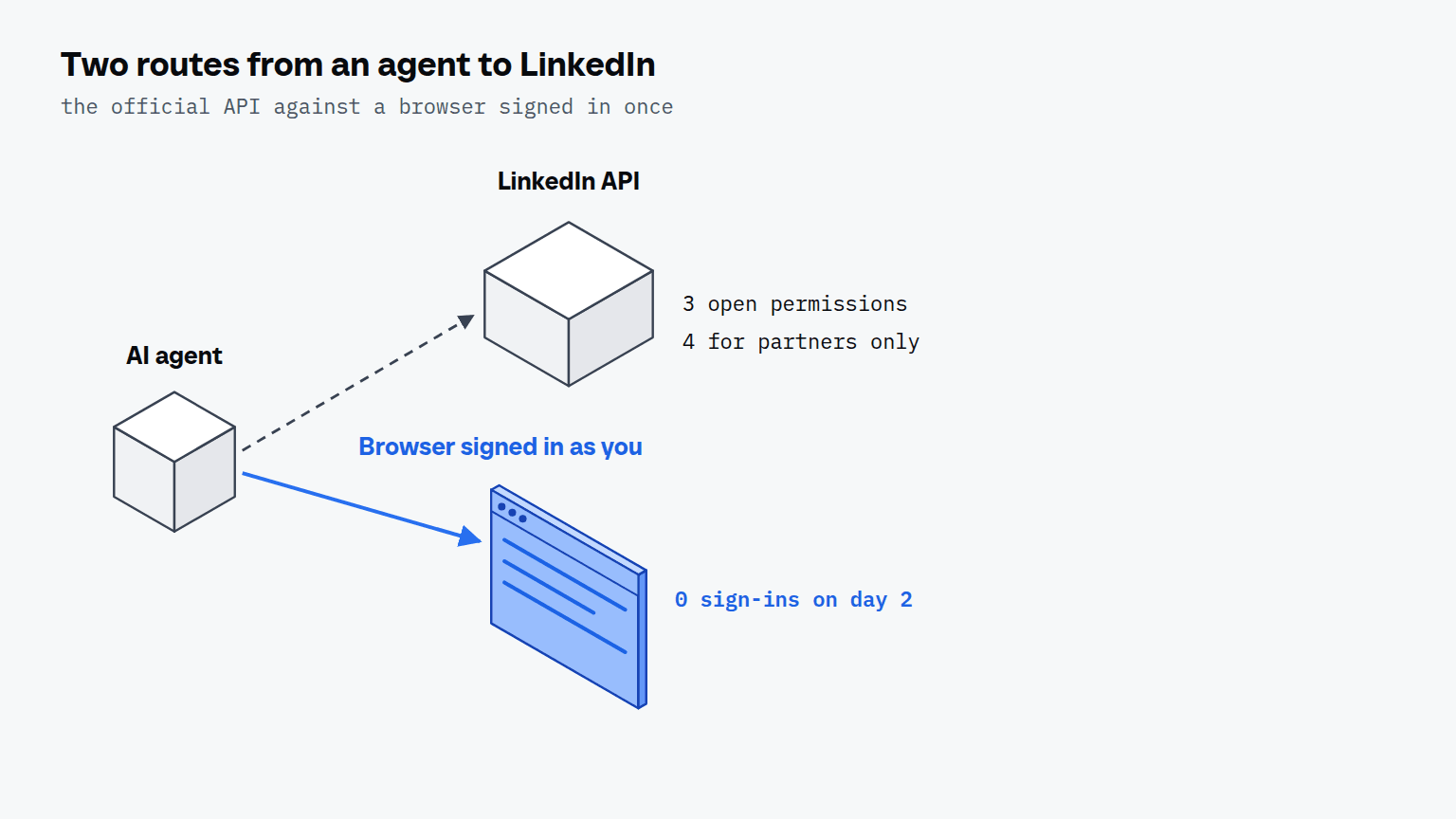
The official API gives every developer 3 permissions without approval: profile and email through Sign in with LinkedIn, and w_member_social, which posts, comments and likes as the signed-in member, according to LinkedIn's Getting Access to LinkedIn APIs page, which we read on 11 October 2026. Everything else needs LinkedIn's approval. The Profile API is restricted to developers LinkedIn approves, and it says you may never store data returned for members other than the signed-in one. The 4 Sales Navigator permissions go only to approved Sales Navigator Application Platform partners.
The Community Management API, which manages company pages, starts in a Development Tier of 500 requests per app and 100 per member, and the Standard Tier asks for a screencast of each use case, says LinkedIn's overview. The same page calls r_member_social, the permission behind Member Post Management, closed, with no access requests accepted. Rate limits count per 24 hours and reset at midnight UTC, but the standard limits are not published: LinkedIn's rate limit page says you see an endpoint's limit in the Developer Portal after you have made one call to it.
How does the agent sign in to LinkedIn?
The agent never sees your password: you sign in once, and after that the layer under the agent types the stored password, so the secret appears in no chat and no log. If LinkedIn asks for a verification code by email, the agent reads it from the profile's own inbox and waits up to 60 seconds for it. The steps are the same as on any site, and signing in to LinkedIn as you covers what happens when a second factor or a passkey is in the way. In Claude Desktop you add the browser as an MCP server once; from then on you name the LinkedIn profile in your prompt.
How long does one LinkedIn sign-in last?
One day is all we've measured: the session of our test profile, signed in on 10 October 2026, was still signed in on 11 October 2026. We opened linkedin.com twice that day, 6 minutes apart, and both runs landed on the feed with no sign-in step, so the count of sign-in prompts is 0 of 2. That's 1 day, not the 14 we want, and we'll replace it with a longer count when we have one. Why a session survives the run, and what ends it early, is the subject of a LinkedIn session that lasts.
What does a LinkedIn run look like from Claude Desktop?
You type one line: "I have calls with OpenAI, Anthropic and Microsoft this week. Open their LinkedIn pages and tell me how big each is and what they posted lately." We ran that brief from Claude Code on 11 October 2026 with the same tools Claude Desktop calls, on a profile that was signed in the day before. The agent took 19 tool calls and 185 seconds from opening linkedin.com to the third company page.
| Step | What the agent does | Seconds |
|---|---|---|
| 1 | opens linkedin.com and lands on the feed, signed in | 5.0 |
| 2 | types "OpenAI" into LinkedIn's own search | 6.1 |
| 3 | opens the company result and reads the page | 2.4 |
| 4 | answers a question LinkedIn asks about page visits with "Don't allow" | not timed |
| 5 | types "Anthropic" and opens the verified organization | 6.5 and 3.9 |
| 6 | types "Microsoft" and opens its page | 3.4 for the page |
Four of the 19 calls did not do what the agent meant: 3 clicks were refused because something covered the target, and 1 opened Google's page instead of Anthropic's. The agent noticed from the page title and went back to the search. Seconds are wall-clock around one tool call, so they include the call's own round trip.
The search in step 5 matters. The address linkedin.com/company/anthropic, which a model would guess, opens an investment fund that lists 2 to 10 employees; the AI lab sits at /company/anthropicresearch with 5,167,591 followers. An agent that guesses the address briefs you on the wrong company, and one that searches by name and picks the verified organization does not.
| Page | Signed in | Logged out |
|---|---|---|
| OpenAI | 2.4 s: tabs for Start, Info, Posts, Jobs, Culture and People; followers rounded to 12 million | 2.4 s: exact follower count (11,915,132), 11,375 employees listed, company posts from 3 days to 2 weeks old |
| Anthropic | 3.9 s: verified organization, 5,167,591 followers | sign-in wall on 2 of 2 loads of /company/anthropicresearch (2.2 s and 6.7 s) |
| Microsoft | 3.4 s: 29 million followers | 8.6 s in a fresh profile: 29,270,792 followers, 231,182 employees, 10 posts; in the profile that had already loaded 2 company pages, a sign-in wall on 2 of 2 loads (3.2 s and 2.6 s) |
Logged out, the pages that loaded carried the About text, the follower count, the size and the company's recent posts, under a sign-in dialog that hid none of the text. Four of the 7 loads ended on a sign-in page instead, and the same address loaded once and was walled twice, so a logged-out reader cannot plan on a page being there. Signed in, the agent found the company by name, saw the tabs for people and jobs, and never met a wall. We read company pages only and didn't open a member's profile. Posts read differently for a fetch tool: it read 3 of 3 LinkedIn posts in our research test, one of them only to about 10 of 160 comments, as a fetch tool's view of LinkedIn shows.


Scalebrowser gives each agent its own isolated browser with a persistent identity, on your own machine, so a run stays signed in, handles the captcha and finishes without anyone watching it.
See how Scalebrowser does itWhich route fits which LinkedIn job?
A server that works without partner approval is one that drives a browser, while one built on the API gets the 3 open permissions. The split follows from what each permission reads: posting through an approved app is fine on the API, and everything that reads other people or your inbox needs the browser. The longer comparison is MCP or the LinkedIn API.
| Job | Route | Why |
|---|---|---|
| Post as yourself on a schedule | API | w_member_social is one of the 3 open permissions |
| Manage a company page for clients | API | Community Management needs approval; the Development Tier allows 500 requests per app |
| Read a person's profile or your messages | Browser | the Profile API needs approval and never stores data on others |
| Work in Sales Navigator | Browser | its 4 API permissions are partner only |
| Read your feed and notifications | Browser | none of the 3 open permissions reads them |
Where does the browser run?
The browser runs on your own machine, so the LinkedIn sign-in stays there: Scalebrowser Start costs 19 EUR a month for one browser at a time on one machine, with unlimited profiles, according to its pricing page, and each LinkedIn account gets a profile of its own. That is a signed-in browser of its own for the job, instead of a shared one. For the job pages that go with this one, see the use cases overview and agents that sign in.
Run it on your own machine
Seven days to try it with your own agents on your own sites. Starting the trial needs a card.
Written by
Elias Auer
Researcher, Scalebrowser
Researcher at Scalebrowser, the browser layer for AI agents that runs on your own machine. Measures what a web page can observe about a browser, compares it with a real Chrome on the same machine and publishes the numbers, including the ones that went against us.
All articles by Elias Auer